What's New in Propel Rx 2.1
Key Enhancements and Fixes
-
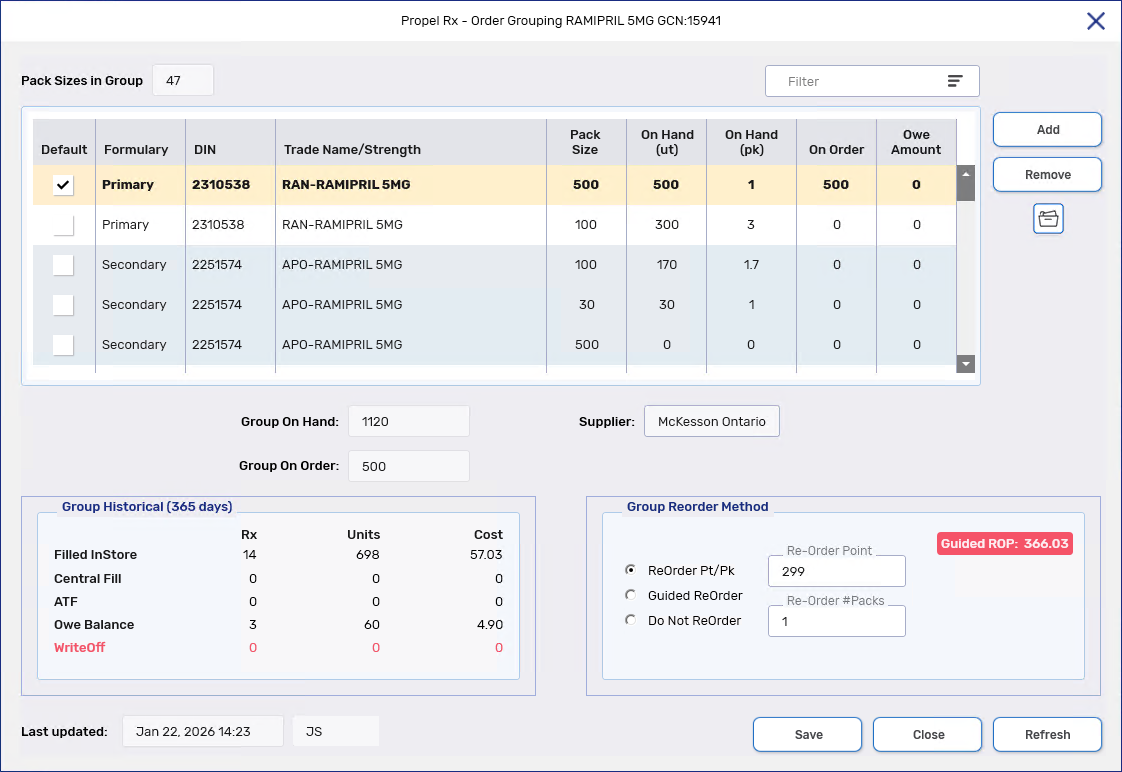
With Order Grouping, products with the same GCN can be grouped together for the purposes of inventory management. For example, the On Hand of all products in the group will be pooled together and a shared reorder method and reorder point will determine when and how much of a Default product is ordered. See Drug Folder - Order Grouping for more information.
-
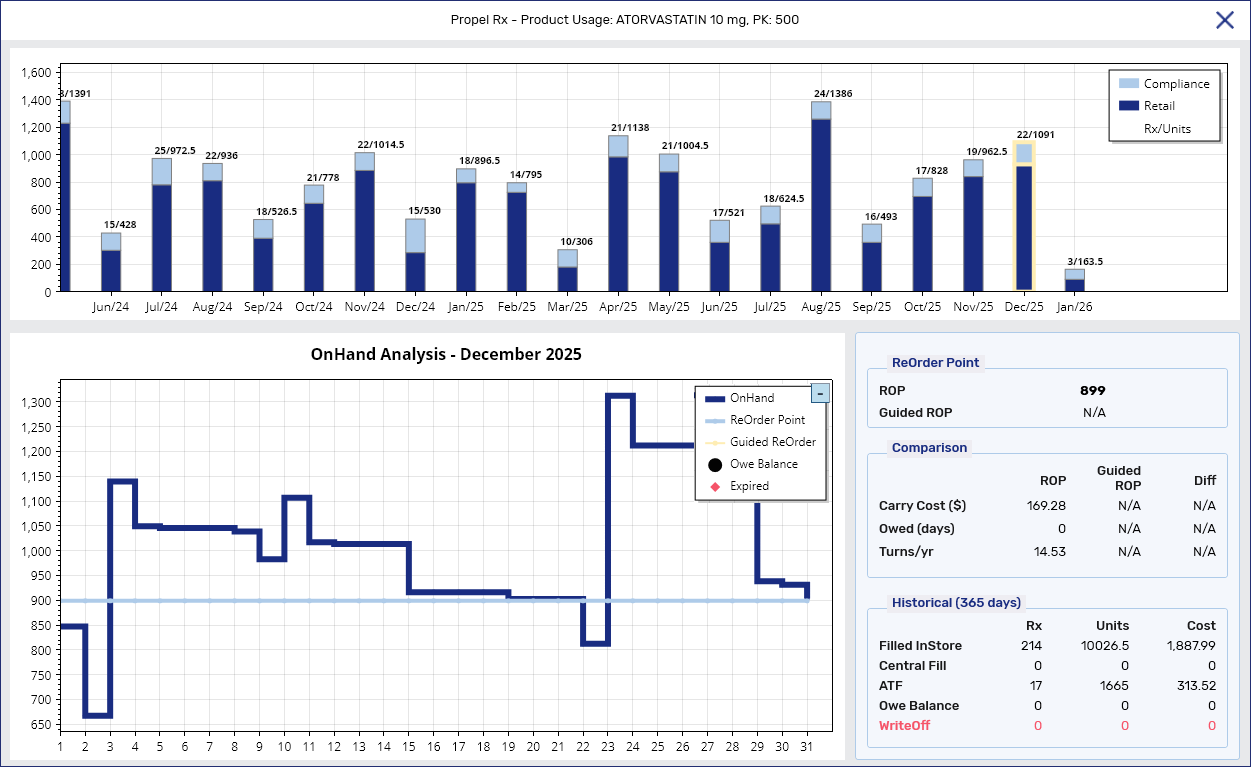
The Product Usage view is a month-by-month picture of product usage over the past two years. A particularly useful feature for inventory reconciliation is its detailed monthly drug movement line graph which plots On Hand changes due to dispenses, expiries, purchase orders, and manual adjustments. See Drug Folder - Product Usage View for more information.
Enhancements
 Cycle Count Module - ReOrder Method and Updated Confirmation Verbiage
ReOrder Method Field
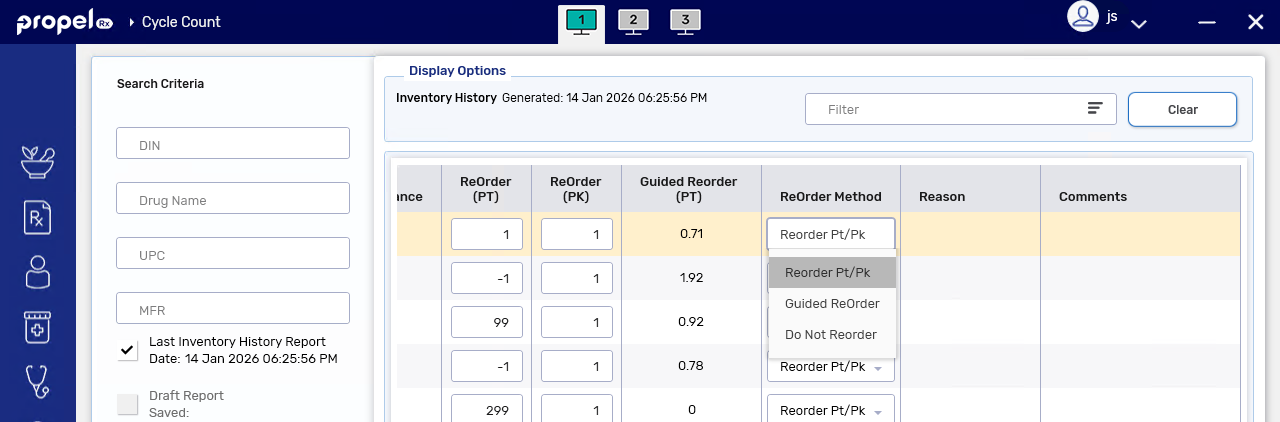
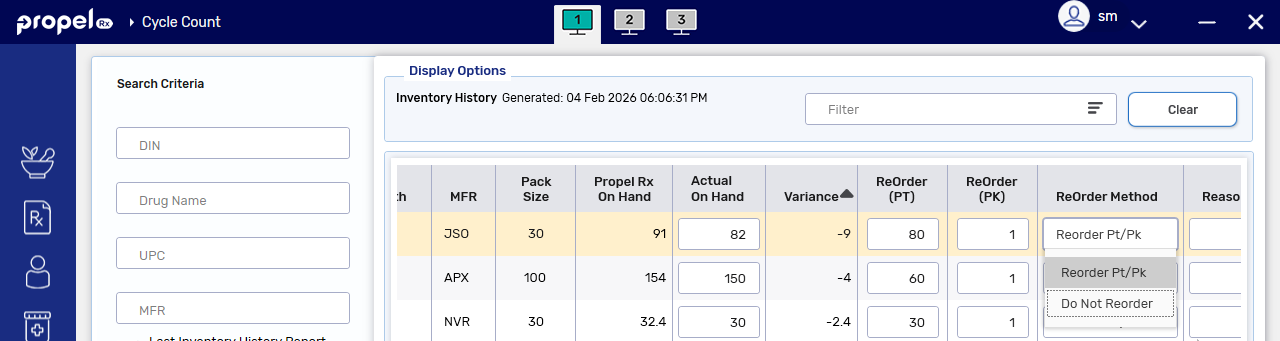
The Cycle Count module now includes a column for changing the ReOrder Method. Options include:
-
Reorder Pt/Pk - turns the Monitor flag ON (if not already) and enables the ReOrder (PT) and ReOrder (PK) fields.
-
Do Not Reorder - ReOrder (PT) and ReOrder (PK) fields are disabled.
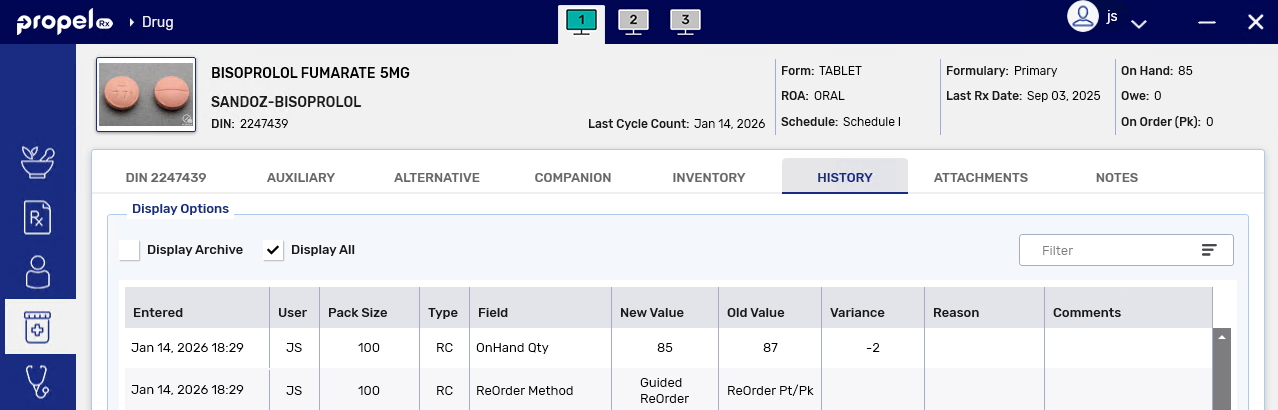
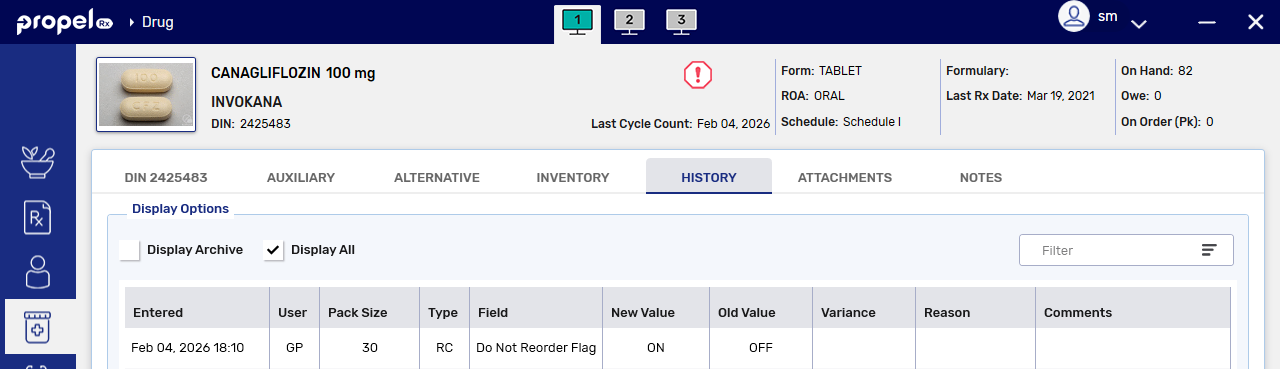
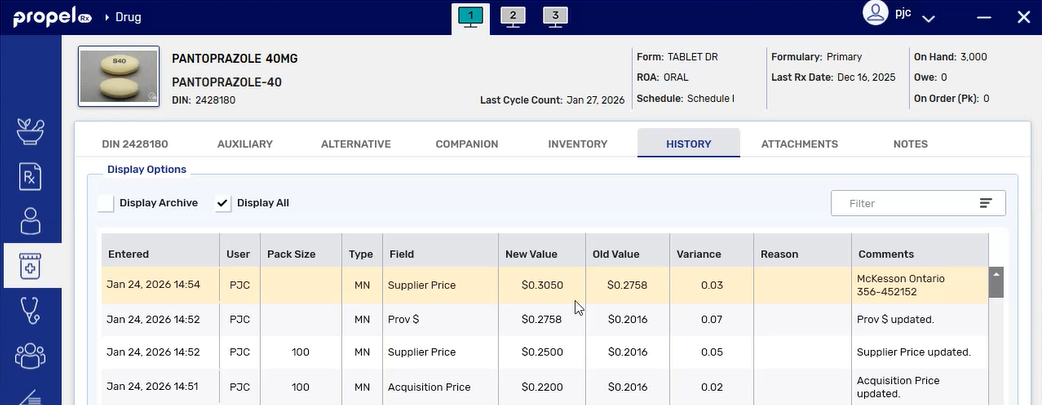
As with other changes in the Cycle Count module, changes to the ReOrder Method are logged in the Drug Folder History tab.
Updated Confirmation Prompt Verbiage
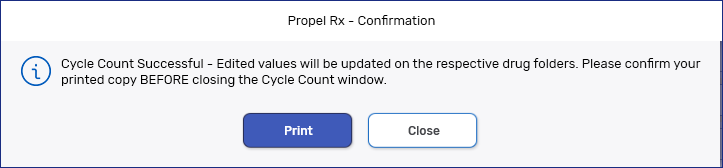
The confirmation verbiage after submitting a Cycle Count has been updated to remind you to print the Cycle Count Summary report before closing.
Drug Folder - Applied Date in the Shipment Window
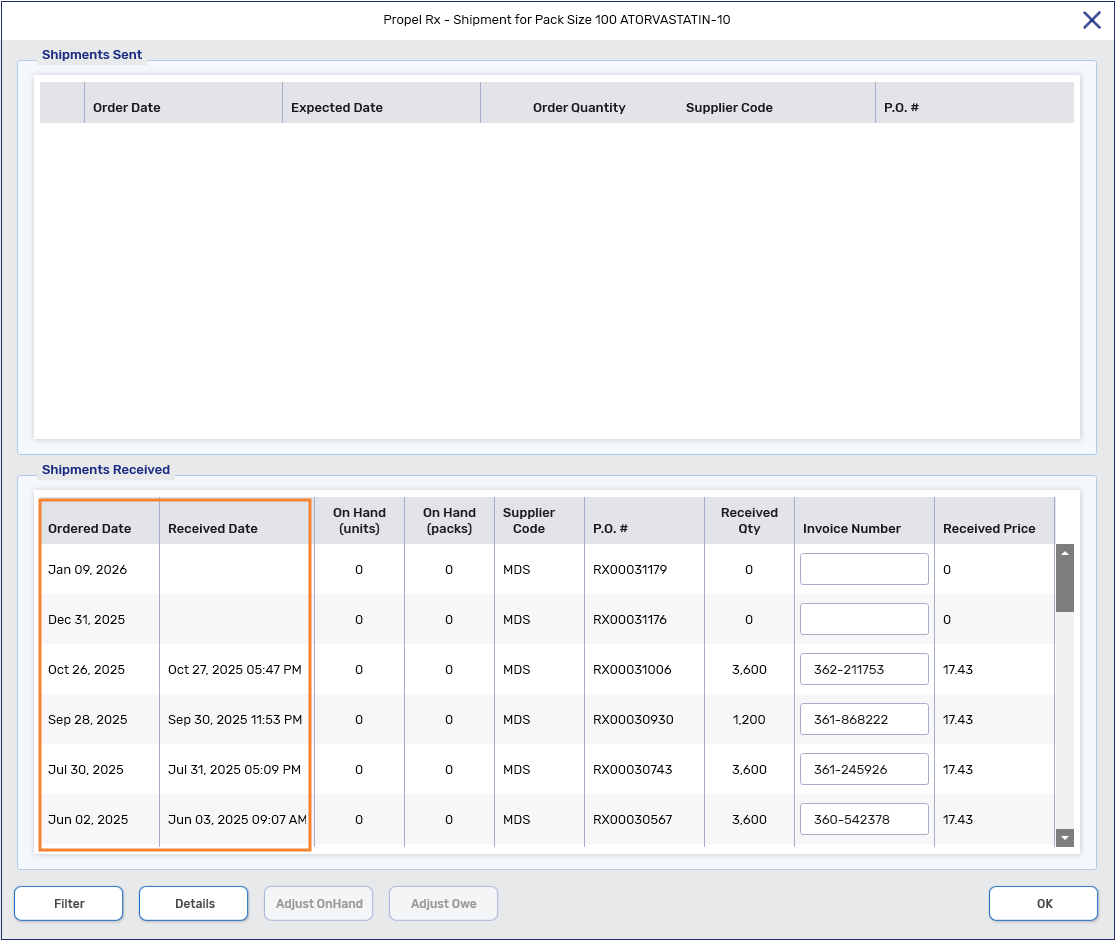
All columns in the Shipment window are now fully visible without requiring horizontal scrolling. The Ordered Date (formerly known as the Received Date) now appears in the first column and indicates when a purchase order was sent. The Received Date (formerly known as the Applied Date) now appears in the second column with an accompanying timestamp and reflects when a purchase order was reconciled. For McKesson and K&F purchase orders, the Received Date is displayed; however, it remains blank for manually reconciled purchase orders.
Drug Changes During an Amend of a Hold Prescription (Ontario and New Brunswick only)
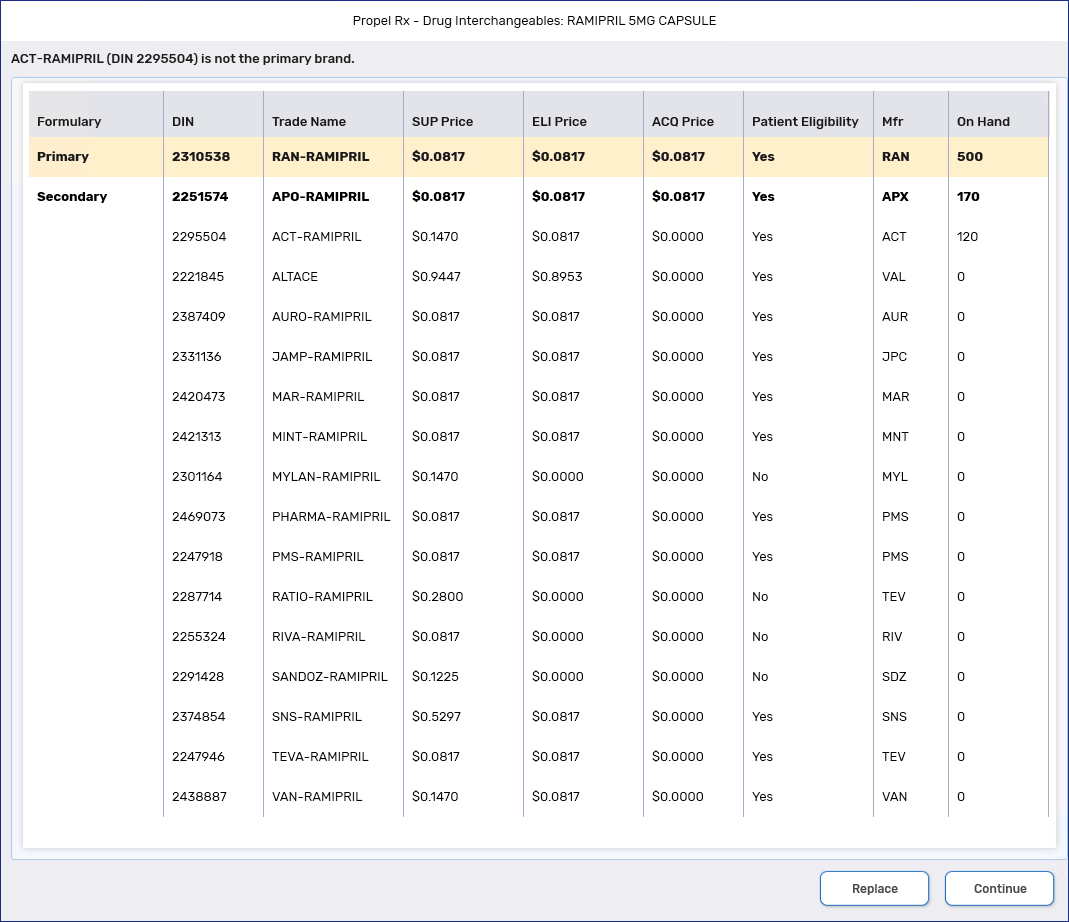
Changing a drug to an interchangeable is now permitted when an Amend is performed on a new prescription that was placed on Hold.
This action is not permitted in British Columbia, Alberta, Saskatchewan, Manitoba, and Nova Scotia as Holds are transmitted to the EHR.
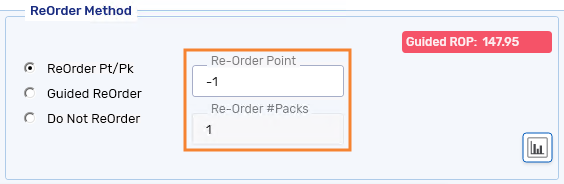
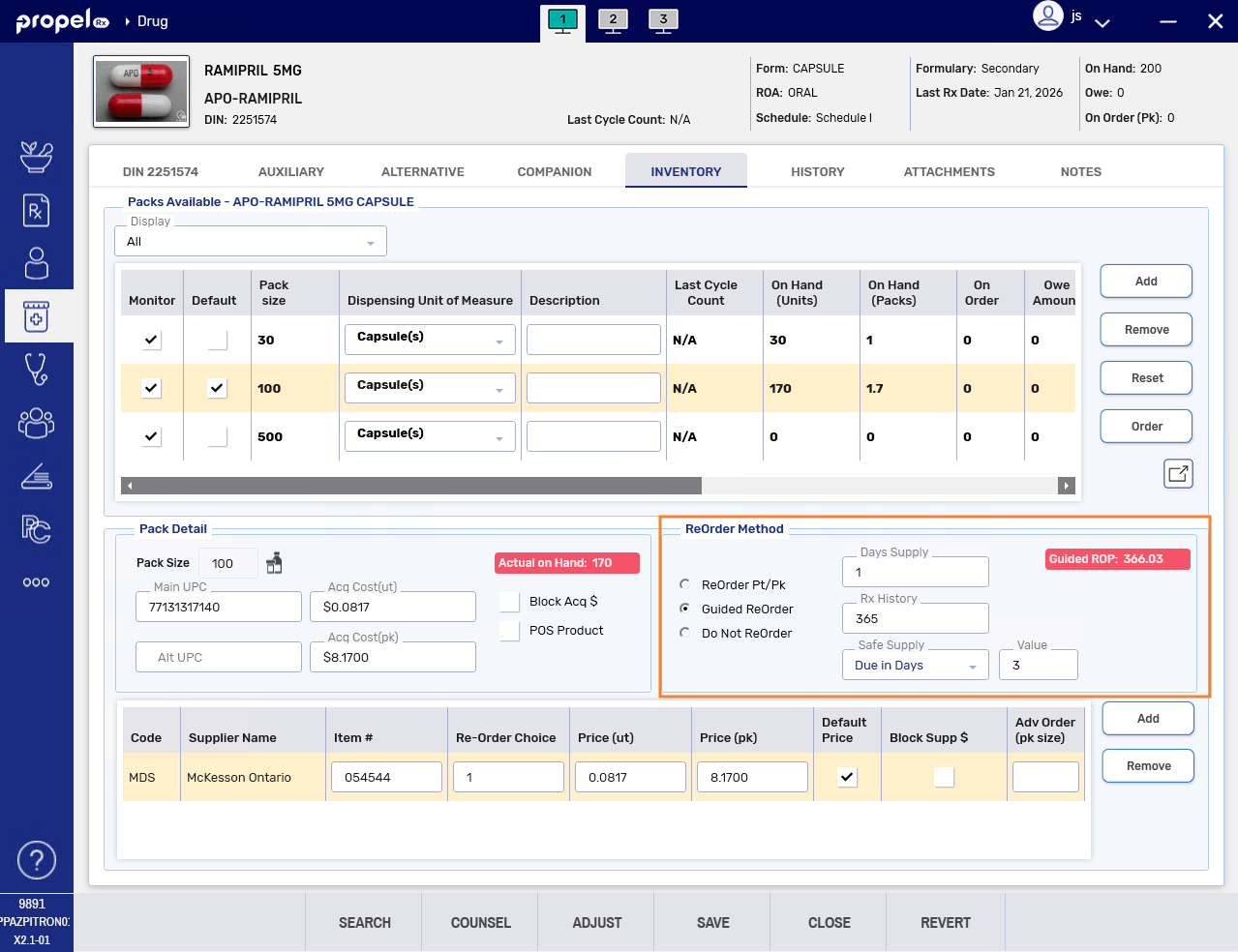
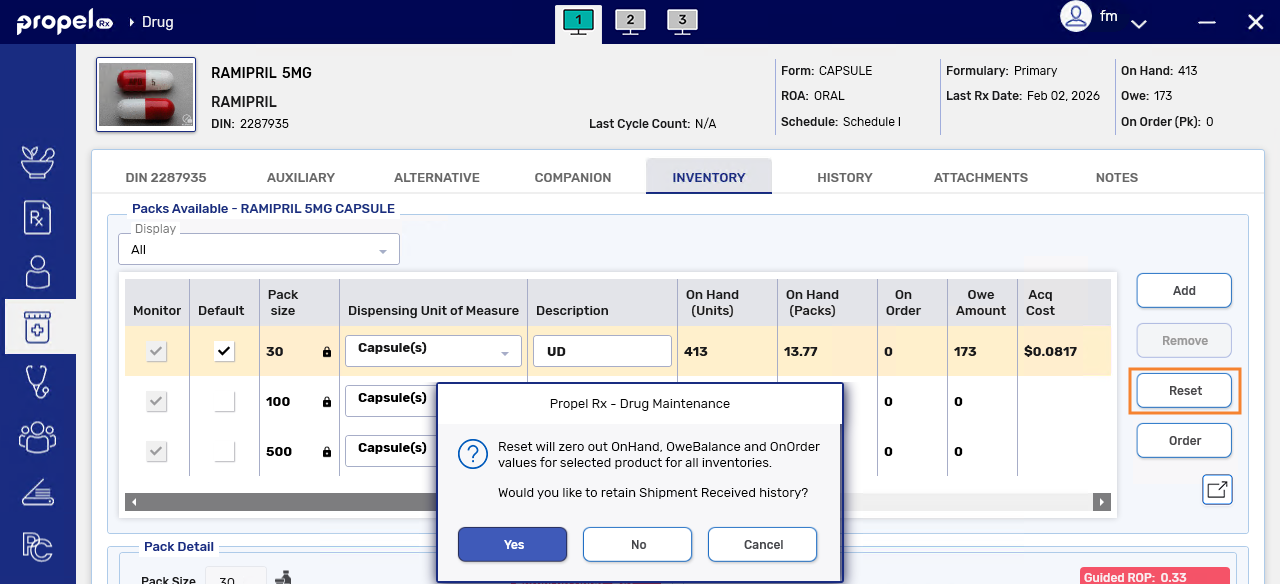
 Drug Folder - Do Not Reorder Radio Button and Negative ReOrder Pt/Pk
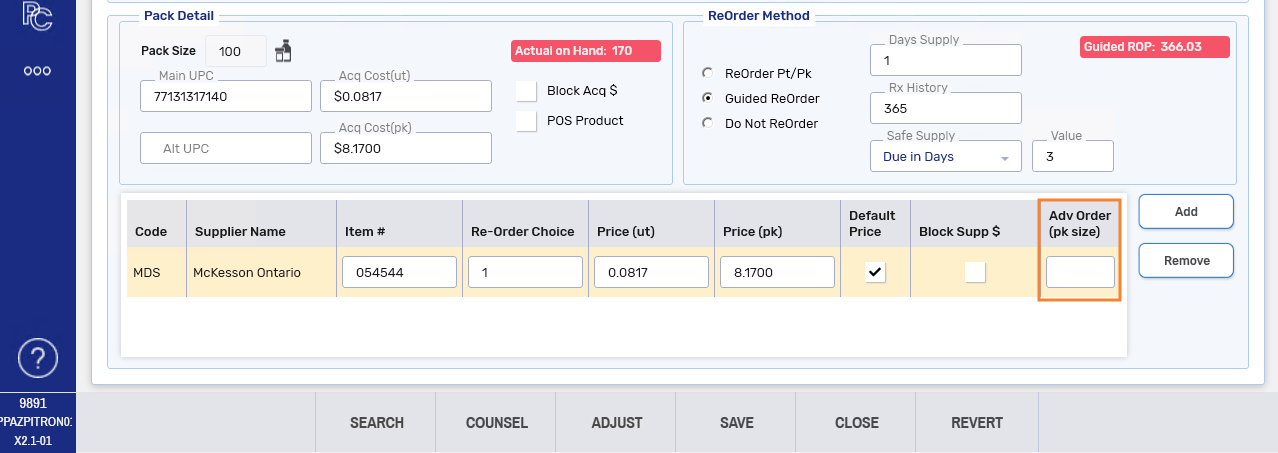
When a negative Re-Order Point value is entered, the Re-Order # Packs will now default to 1 and be disabled.
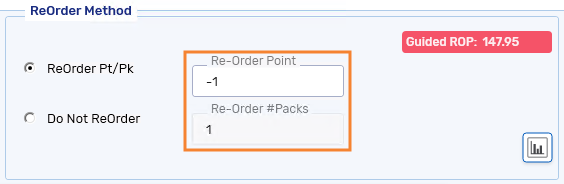
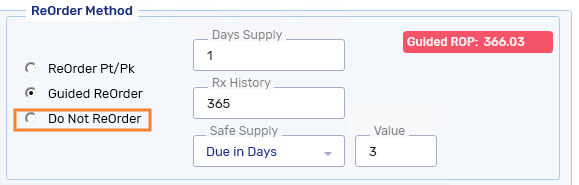
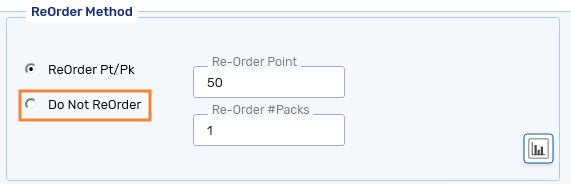
The Do Not ReOrder checkbox in the Drug Folder is now a radio button.
 Drug Folder - Last Cycle Count Date Display in the Drug Folder
The Last Cycle Count date now appears in the Drug Folder. This date refers to when a product was last reconciled using the Cycle Count module in Propel Rx. It displays in two locations in the Drug Folder:
-
Information bar (top) - pertains to the default pack size
-
Packs Available section - pertains to the highlighted pack size
You may need to scroll to the right to see the Last Cycle Count date in the Packs Available section.
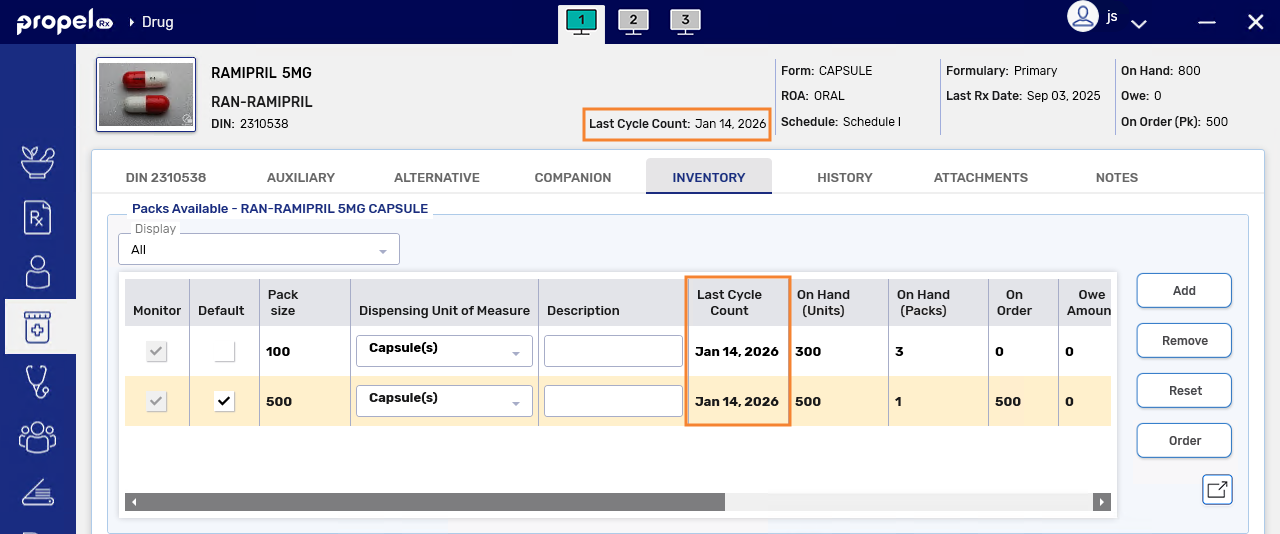
Products that have not been Cycle Counted before will display a Last Cycle Count date of "N/A" in the Drug Folder. However, in the Cycle Count module and Inventory History report, the date will display as "August 18, 2020", which corresponds to when the feature was first introduced in Propel Rx.
Drug Folder - Order Grouping
Order Grouping lets you to manage all products with the same GCN using one shared reorder method and reorder point, giving you tighter control over stock levels for related items. By treating these products as a single group, you can reduce overstocking. Instead of ordering multiple brands and pack sizes of a single drug, you order one Default product per Order Group. The new Order Grouping window also makes it easier to review group activity and adjust ordering parameters across the entire Order Group.
What is a GCN?
A GCN is a standardized identifier issued by First Databank (FDB) that's used in pharmacy and healthcare systems to group together drug products that share the same active ingredient, strength, and dosage form - regardless of brand or manufacturer.
Drug Folder - Product Usage View
The new Product Usage view gives your pharmacy a month-by-month picture of how a product has been used over the past two years. It includes a bar chart showing prescription volumes and dispensed units, a detailed monthly drug movement graph, and an information panel with key inventory and reorder details. Together, these components help you understand trends, spot unusual activity, and reconcile inventory.
For more information, see Product Usage View.
 Drug Search - Formulary Column, Sort Order, and Item Number Logic
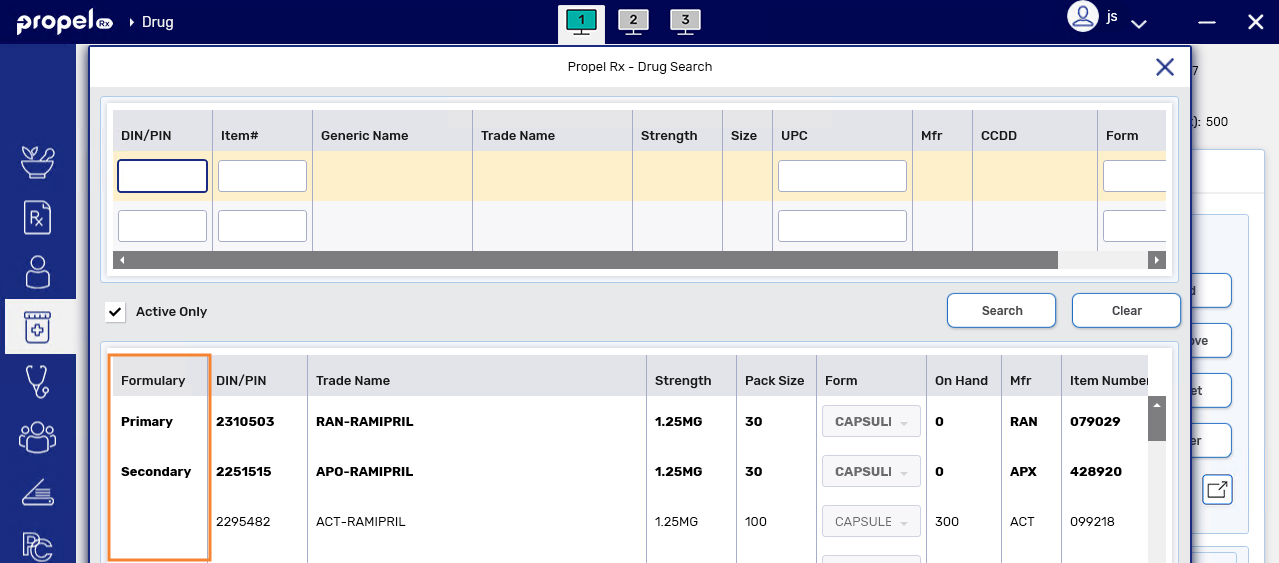
Formulary Column in Drug Search Results
When the Generic Formulary preference is ON, a Formulary column will display in the Drug Search results grid. Products that are on the generic formulary (i.e., Primary or Secondary) will be shown in bold. The new Formulary column will be in the first position.
Column order
Default column order in Drug Search will be: Formulary, DIN/PIN, Trade Name, Strength, Pack Size (formerly labelled as Size), Form, On Hand, MFR, Item Number, UPC, CCDD, GCN, and Generic Name. However, if there were any customized Drug Search grids prior to upgrade, they will be retained.
Updated Sort Order for Drug Search Results
When a drug search is conducted by generic or trade name, results are now sorted by GCN first then Formulary indication then On Hand quantity then Trade Name, as shown below.
-
GCN (ascending)
-
Generic formulary indication if applicable (primary first; multiple primaries are listed alphabetically in ascending order)
-
On Hand quantity (descending)
-
Trade name (alphabetically in ascending order)
-
-
-
Updated Item Number Search Logic
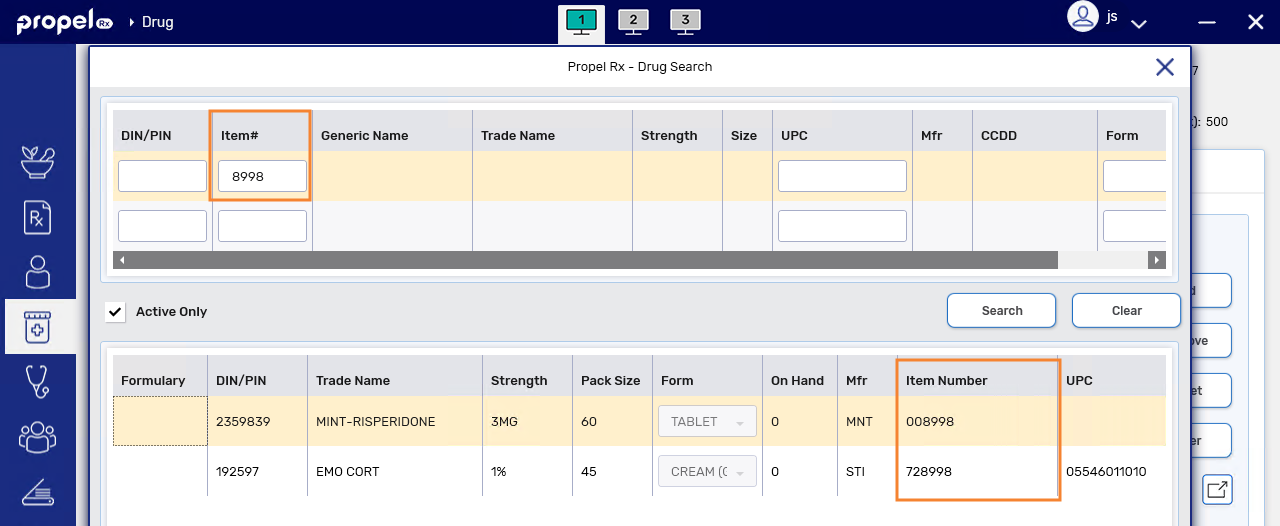
When searching for a drug by item number, all products that have an item number that matches or contains the entered item number will be returned.
In the example below, a search for item number "8998" returned item numbers of 008998 and 728998.
Owe Balance Window - Validation Message for Interchangeable Stock
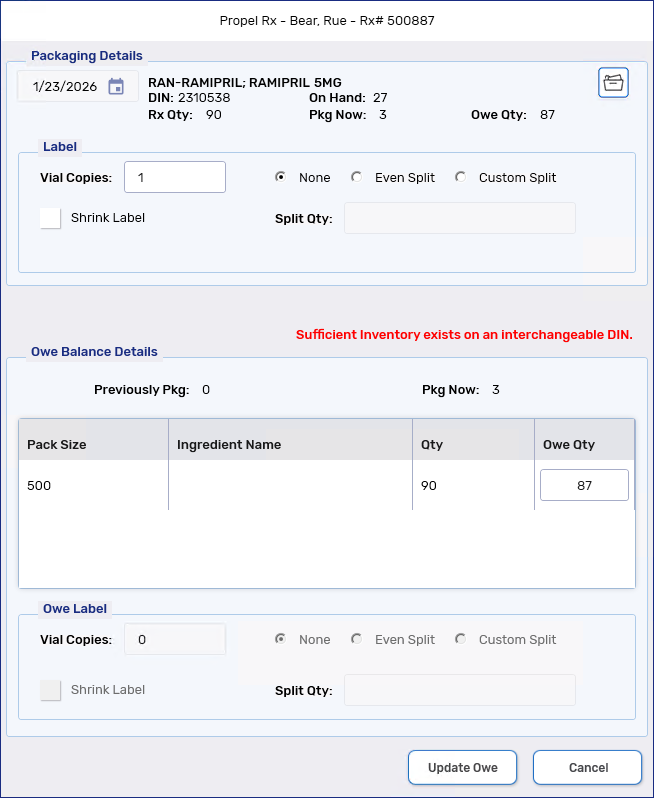
If you process a prescription for a drug that has insufficient On Hand, the Owe Balance window now displays a message if you have enough On Hand for an interchangeable. This message can appear whether the Owe Balance window is opened manually or automatically, as long as the prescription is active in Workflow.
Fixes
Inventory
-
Fixed an issue that was causing insufficient quantities to be added to the Order Pad for some decimal pack sizes when Digital Owe Balance is ON, Owe Label Print is set to Process Owe, and Auto Reconcile Owe is ON.
Sunsetted
Drug Interchangeables Window - Do Not Show Interchangeables
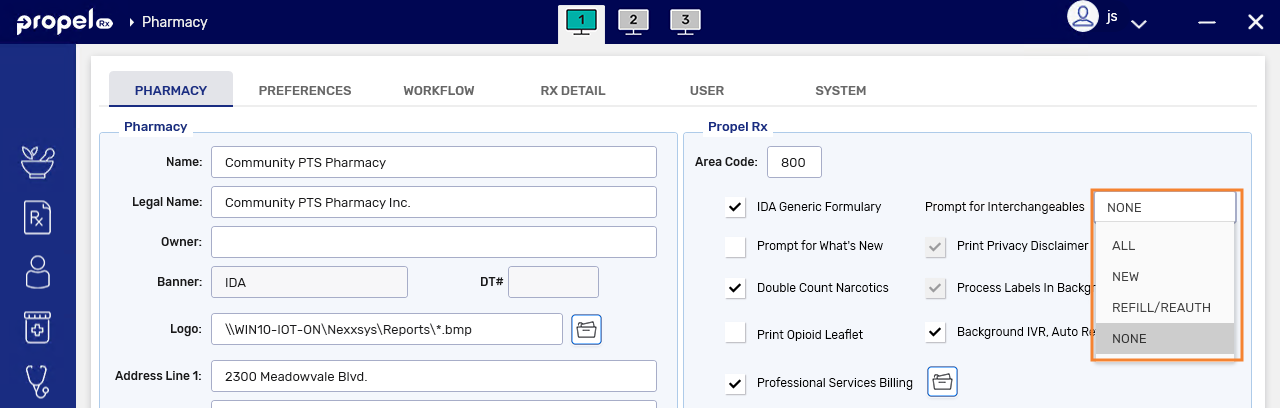
The Do Not Show Interchangeables checkbox in the Drug Interchangeables window has been removed. You can now control whether this window appears during prescription processing using the new Prompt for Interchangeables Preference.